Access the Users menu on the sidebar.
Managing platform users
Overview
The Users tab in the sidebar is available for Platform Admins and allows them to Create new users, Delete users and Change user role.
Permission to manage users
Only Platform Admins can manage the other users of the platform.
Creating a new user
Follow the steps below to create a new platform user:
1
2
Click the Add Users button.
3
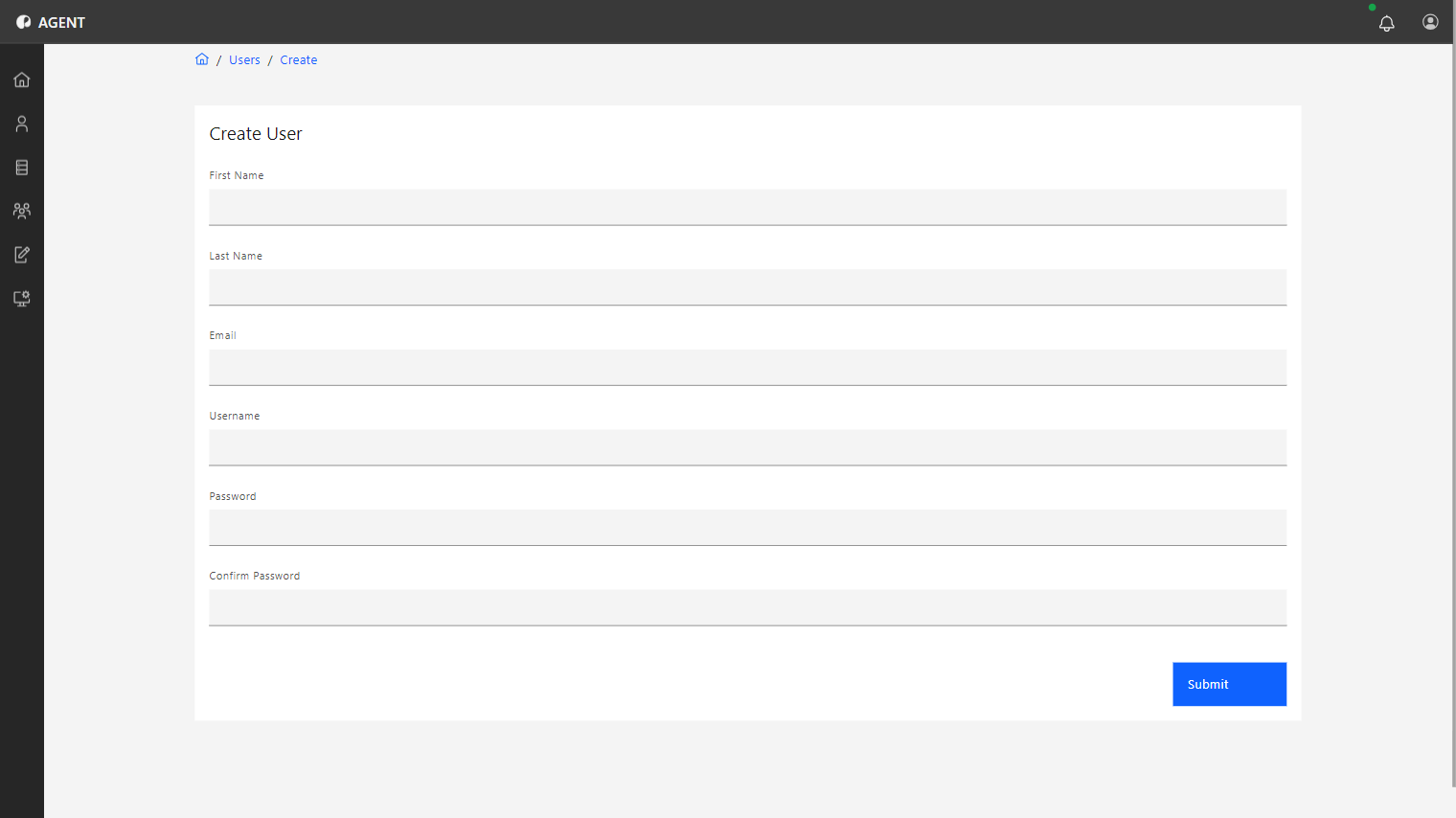
Now fill in the following fields of information:
- First Name
- Last Name
- Username (Used to login into the platform)
- Password
4
Click the Submit button to finish.
An invite will be sent to the user in the informed e-mail.
Tip
Team Admins can now add this new user to their teams so they can start contributing to projects and data analysis. See more on the Managing Teams page.
Deleting users
To delete an existing user, follow these steps:
1
Access the Users menu on the sidebar.
2
On the list select the user to be deleted by clicking on it.
3
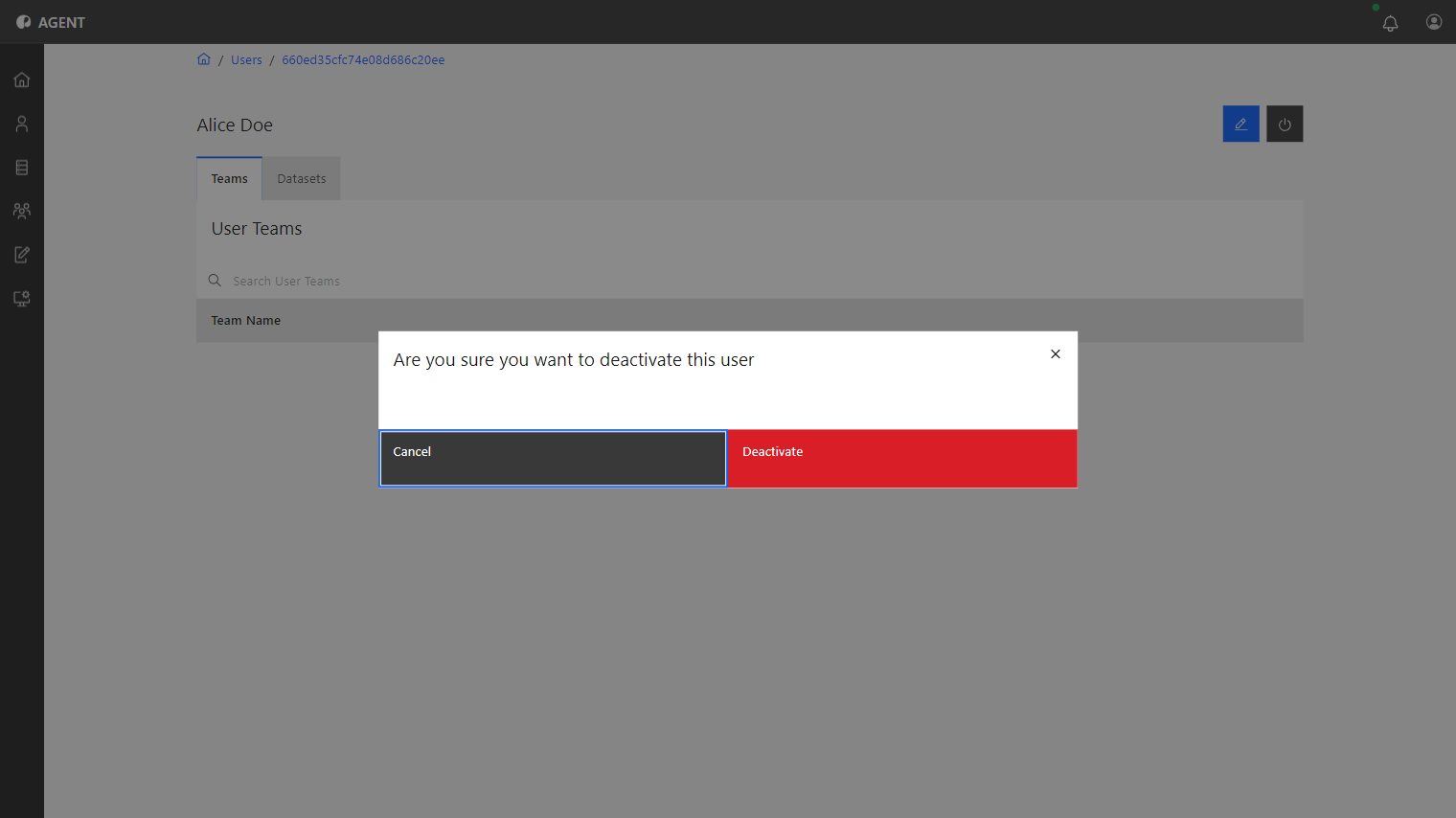
In the user overview, click the Deactivate button.
4
A pop-up window will appear, requesting confirmation. Click Deactivate.
After this, the user is deleted and should no longer appear on the user list.
Change user roles
A user's role can be changed from User/Member to Platform Admin by following the below steps -
1
Access the Users menu on the sidebar.
2
On the list select the user whose role is to be changed by clicking on it.
3
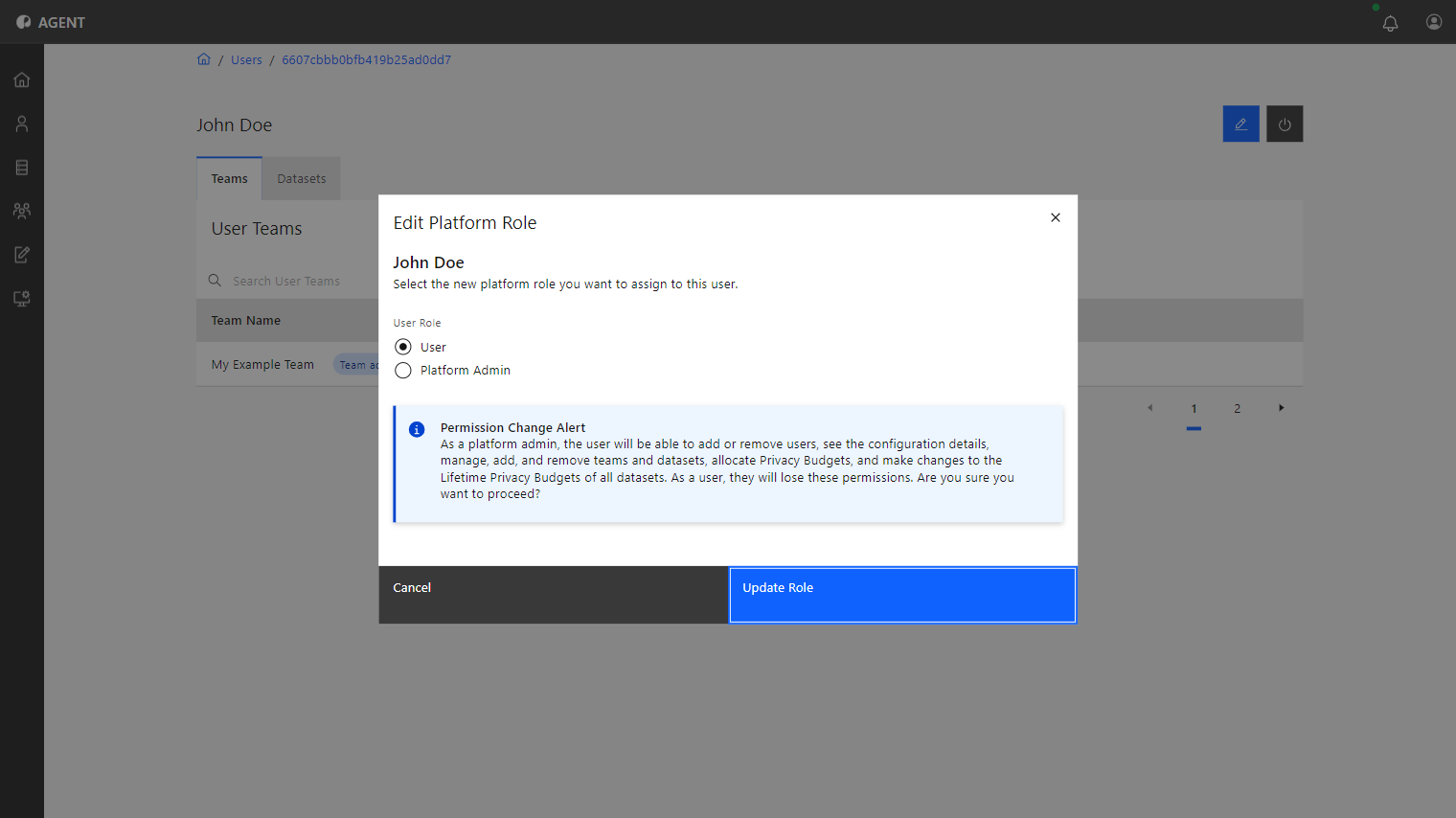
In the user overview, click the Edit button.
4
Select the role to be applied and click Update Role.
This changes the role of the user and with it the associated permissions.